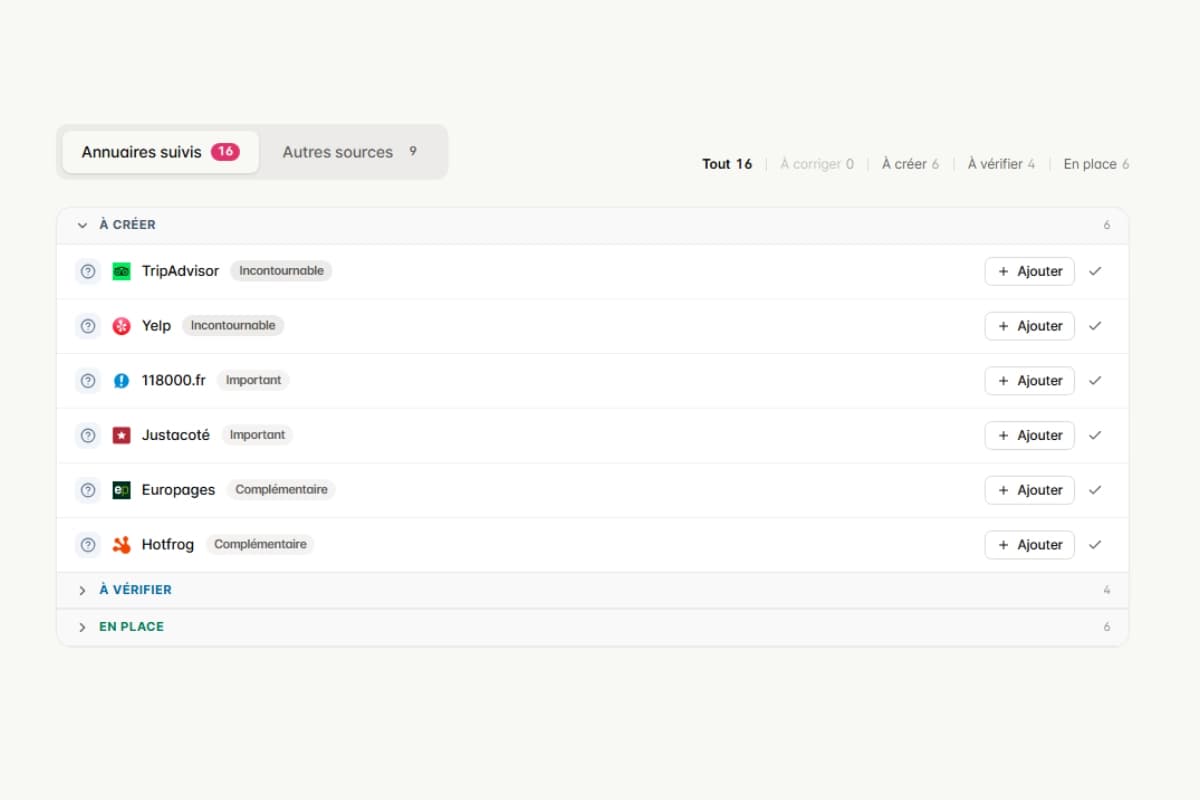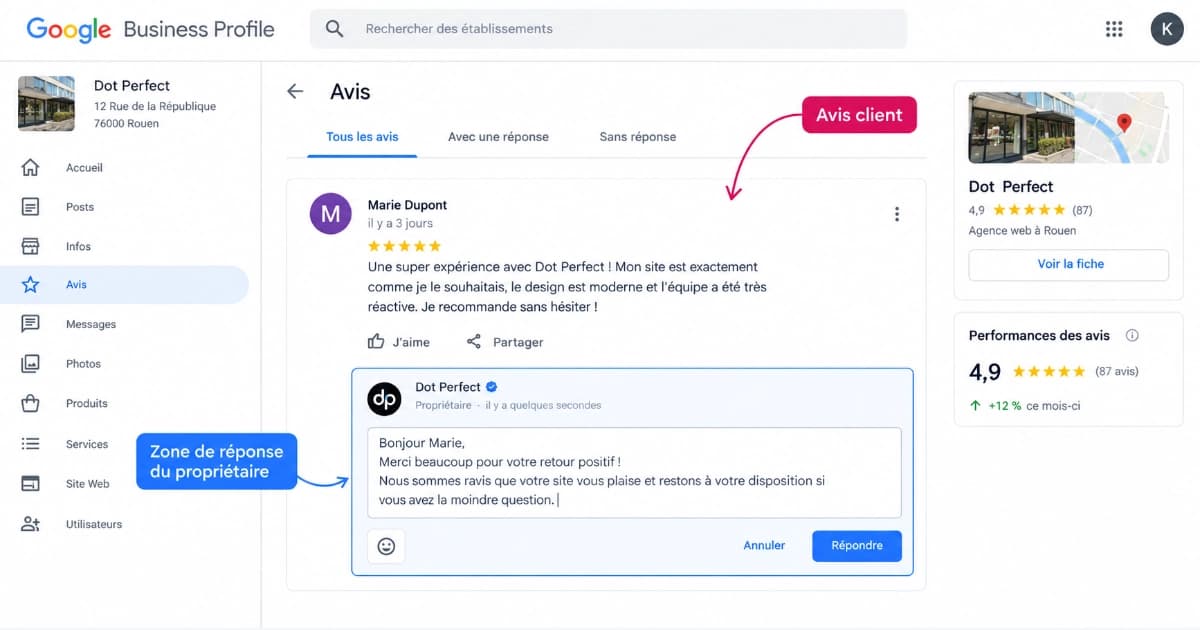
You've been publishing Google Business Profile posts for months, or you've never published a single one, and either way the question is the same: does it actually do anything? The honest answer is nuanced. A post won't push you ahead of your competitor in the local pack. But it does occupy visible real estate on your listing, right at the moment someone is deciding between you and the business next door.
The problem is that most of the advice circulating about posts is outdated. The famous "posts expire after 7 days" no longer appears in Google's documentation. Neither does the fourth post type. And now that Google offers scheduling and recurrence directly in its interface, the automation question doesn't look the same anymore.
This guide starts from scratch: what Google actually documents today, how to write a post that triggers a call, the mistakes that get a post rejected, and exactly where automation stops.
💡 The 30-second version
- Posts don't directly improve your local ranking, but they do improve your contact rate.
- Google documents three post types: update, offer, event.
- The seven-day expiration is a myth: Google archives posts after six months.
- A phone number written in the text is enough to get a post rejected.
- One post a week, kept consistent, beats ten published on the same day.
- Google schedules and repeats your posts natively, but it doesn't write the content for you.
🔍 What exactly is a Google post, and where does it show up?
A post is a short update, created from your business listing, that appears in Google Search and on Maps. It can contain text, a photo or a video, and an action button.
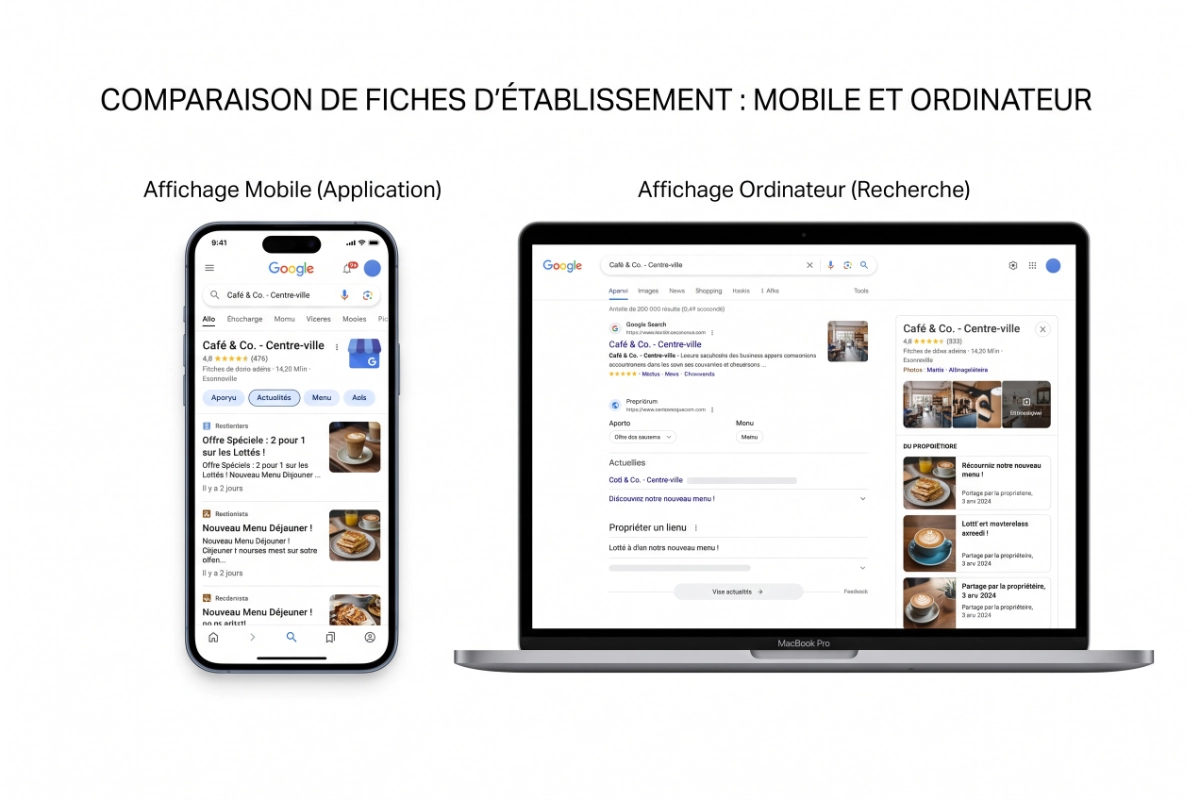
Google documents three display locations:
- The "Updates" or "Overview" tabs of the listing, on mobile, in Maps and in Search.
- The "From the owner" section of the listing, on desktop, in Search and on Maps.
- Featured posts, added directly on the mobile version of the listing.
That third category deserves a caveat: featured posts can come from your Facebook or Instagram accounts, and the feature is currently limited to single-location restaurants in five English-speaking countries.
The practical takeaway matters most: a mobile reader and a desktop reader don't see your post in the same place, or with the same prominence. Write for mobile — that's where the placement works in your favor.
📈 What posts actually change for your visibility
Might as well say it upfront, since it's the promise sold everywhere else: publishing one post a week will not move you up in the local pack.
Google is explicit about this. Local results are ranked mainly on three factors: relevance, distance and prominence. Posts appear in none of the three. Your listing's primary category, how complete your information is, and your review volume do. If your listing is incomplete, starting with posts is like repainting the facade before fixing the roof. A Google Business Profile audit will tell you in a few minutes where to start instead.
That said, writing posts off as useless is the opposite mistake, and just as costly. Here's what a post actually does.
It occupies space on your listing. If that space stays empty, something else fills it: reviews, open questions, sometimes competitor suggestions. A well-written post puts your own message there instead.
It answers an objection before the click. A hesitant visitor isn't looking for your story — they want to know if you're open, if you serve their area, how much it costs and how fast. A post is the fastest place to tell them.
It signals that you're active. A listing whose last post is eighteen months old sends an uncomfortable signal: does this business still exist? That judgment is human before it's algorithmic, and it forms in a second.
📊 Update, offer, event: which type for which need
Google currently documents three post types, each with its own required fields. The fourth type you still see referenced in old articles, "product" or "update", no longer exists in the post editor: products are now managed in a separate section of the listing.
| Post type | What Google requires | Button | How long it displays | When to use it |
|---|---|---|---|---|
| Update | A description. Photo, video and button are optional. | Any action button, with a link | Archived after six months | New service, recent project, hours change |
| Offer | A title, start and end dates and times | "View offer," added automatically | Until the end date | Dated promotion, promo code, seasonal campaign |
| Event | A title, start and end dates and times | Any action button | Until the event ends | Open house, workshop, trade show, local activity |
Two things worth flagging from this table. If you create an event without specifying times, Google treats it as lasting twenty-four hours across the dates given. And if you run a hotel, the "offer" type isn't available to you: Google reserves pricing and hotel promotions for its own modules.
🗓️ How often to post, and why the seven-day myth won't die
You've almost certainly read that Google posts expire after seven days. That claim no longer appears in the official documentation. What Google writes today is different: posts older than six months get archived, unless a specific period was set.
The gap between the two comes from an old interface behavior, where an update stopped being featured after a week. Being featured and staying alive aren't the same thing, and the confusion has stuck around because blog articles keep copying each other.
ℹ️ Good to know
Archived doesn't mean deleted. An archived post is still visible in your listing's history — it just stops being featured prominently. Google doesn't publish an exact featuring duration, and it varies by device and industry: don't build your calendar around it.
In practice, here's the rhythm to aim for:
- Publish one post a week if you have something genuinely useful to say each week.
- Drop to two posts a month rather than inventing filler content to keep a pace.
- Prepare a month's worth of posts in a single batch, then schedule them.
- Break the rhythm only for a real reason: a seasonal offer, an event, a closure.
Consistency matters more than volume. Six posts published on a Saturday night followed by nothing for a quarter is worse than one post a month kept up for a year.
🛠️ How to write a post that triggers a call or a click
A Google post isn't a social media post. Nobody "follows" your listing, nobody scrolls a feed. Your reader arrived with a specific intent, often from their phone, and they'll be gone within fifteen seconds. Write for those fifteen seconds.
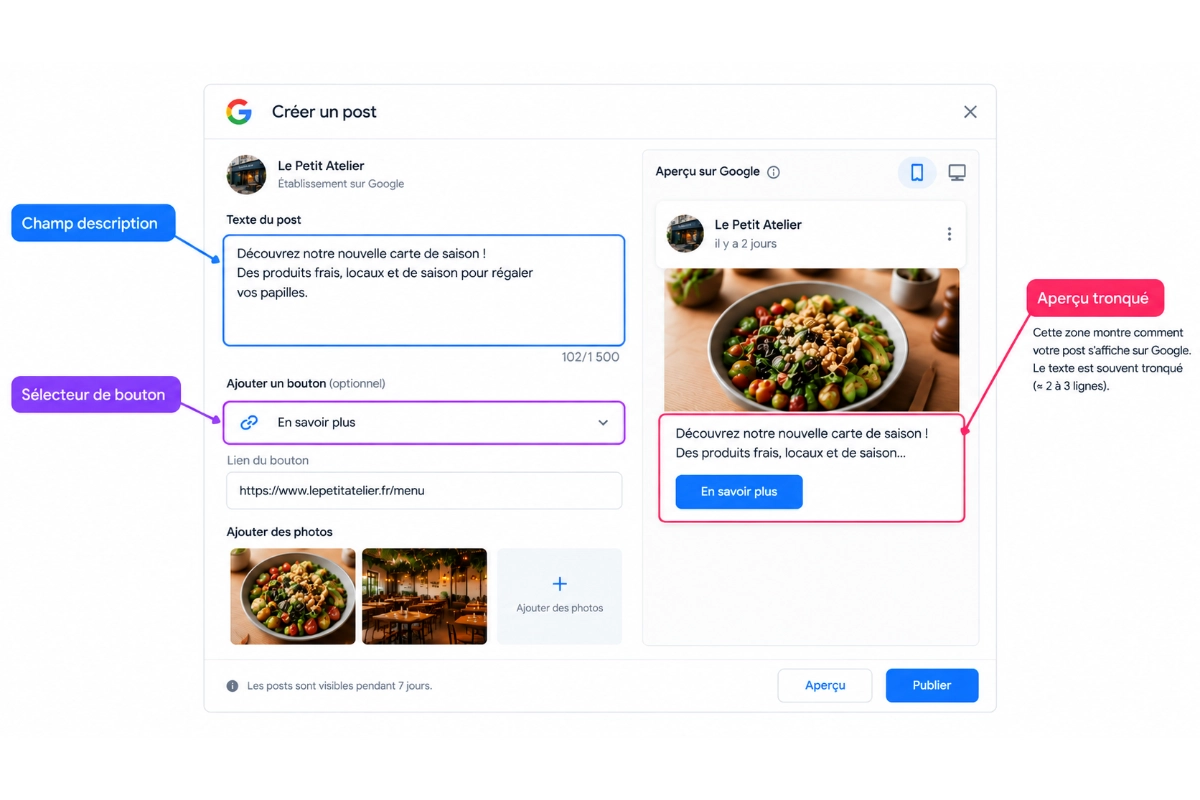
- Put the decisive information in the first words — the preview gets cut before the end of the first sentence.
- Cover one idea per post, never two announcements in the same publication.
- Give a concrete detail: a price, a turnaround time, a date, a service area.
- Pick a button that matches what the reader can actually do in the next minute.
- Point the button to the relevant page, not your homepage.
- Add a real photo of your business rather than a stock image.
- Use the words your customers actually type into Google, without forcing it.
That last point is worth a word. Stuffing "emergency plumber Rouen cheap same-day" into a post doesn't help you and ruins the read. Naturally naming your city, neighborhood or service in a sentence that makes sense does. The same logic applies to your business description, which you can test with the description analyzer, and to your visuals, covered in our article on photo best practices.
📝 Three post examples, before and after rewriting
The examples below are typical formulations, built to illustrate the method. They are not client cases.
Update, plumber
Before: "We're thrilled to announce our team is growing and we keep putting our expertise at our customers' service after more than 15 years."
After: "Water leak repair in Rouen and the surrounding area: response within 2 hours, Monday to Saturday, quote given before work starts." Button: Call.
Offer, restaurant
Before: "Don't miss our amazing back-to-school offer, hurry!"
After: "Lunch menu, starter plus main, $17.90, Tuesday through Friday until October 31. Reservation recommended." Button: View offer.
Event, gym
Before: "Open house coming soon, come one come all, we can't wait to see you!"
After: "Open house Saturday, October 12, 10am to 6pm: free trial of every group class, no sign-up required." Button: Learn more.
In all three cases, the change comes down to one sentence: the rewritten version gives verifiable information in the first words. The reader instantly knows whether it applies to them, and the button offers exactly the action that follows from what they just read.
🚫 The mistakes that get your posts rejected or make them invisible
Some of these mistakes cost you clicks. Others cost you the post itself.
- Writing a phone number in the text. Google explicitly bans this and rejects posts that do it. Use the call button instead, which pulls the verified number from your listing.
- Copy-pasting an Instagram post as-is. Google asks for professional content, free of typos, without excessive characters or distracting elements. A wall of hashtags and emojis checks every box for rejection.
- Talking about the product in a regulated industry. Alcohol, tobacco, pharmaceuticals, medical devices and health, gambling, weapons, fireworks, financial services, adult-only services: you can still post, just not about those products themselves.
- Creating an offer as a hotel. The post type simply isn't available for that category.
- Never checking your posts' status. Google shows three states: live, pending, not approved. A not-approved post stays invisible with no alert to warn you.
- Sending every button to your homepage. The reader should find what the post promised in one click, or they'll leave.
⚠️ Warning
A rejected post isn't an isolated glitch. Google states that violating its policies can lead to restricted content, or even loss of access to your listing or account. Treat every rejection as a signal to fix, not a quirk to ignore.
🤖 Automating your posts: what Google does, what it doesn't
Google has closed a lot of ground here. From its own interface, you can schedule a post for a specific date and time, set a weekly, monthly or custom recurrence, and publish the same post across multiple listings at once.
If you manage one listing, write quickly, and already have a routine, the native editor is enough. Saying so plainly is part of the job: paying for a tool to schedule one weekly post on a single listing doesn't make sense.
What Google doesn't do, on the other hand:
- It doesn't write your post content.
- It doesn't rotate post types to avoid repetition.
- It doesn't pull your blog articles and turn them into posts.
- It doesn't tell you whether your posts affect calls and direction requests.
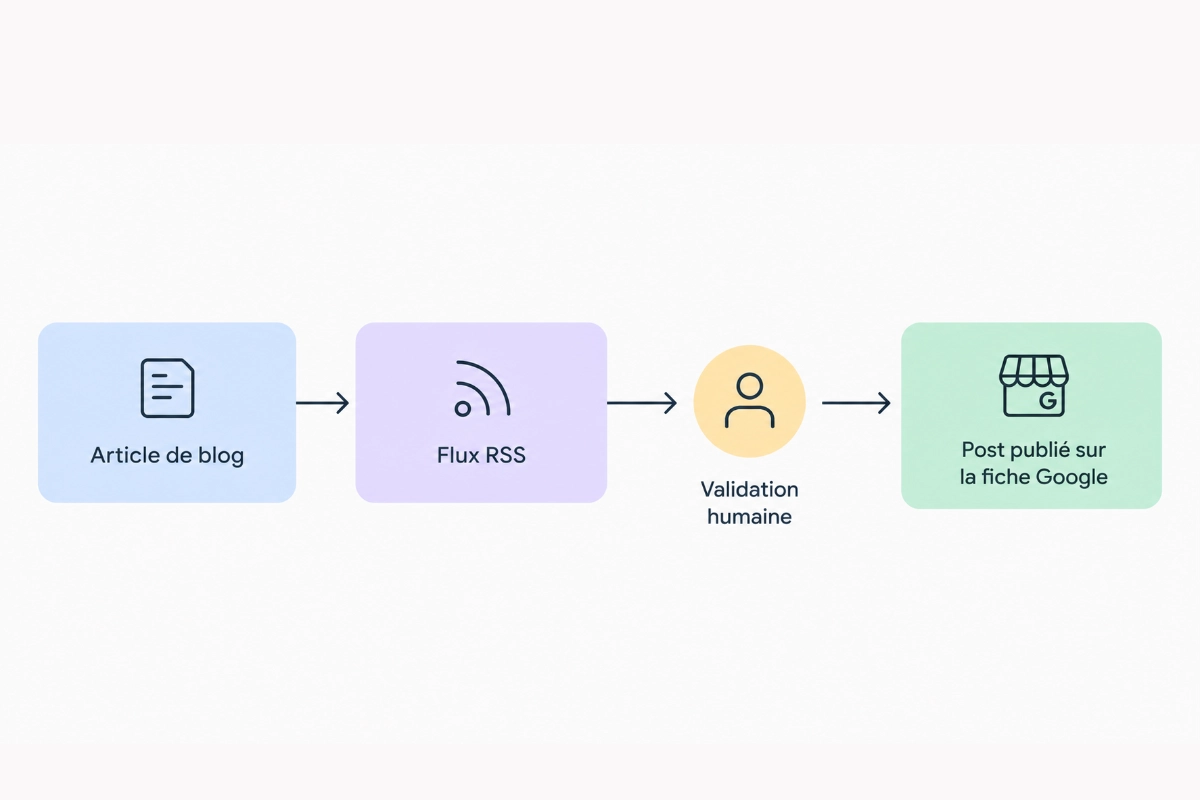
That's exactly where a tool earns its keep, and nowhere else. Pharelio covers those four gaps: AI-assisted writing drafts a post from your keywords and your business, scheduling manages the intervals and rotates the types, RSS feed automation turns your blog articles into posts, and analytics track clicks, calls and direction requests.
A position we stand by, even though it works against our own commercial interest: never publish on full autopilot without review. Google explicitly asks you to avoid automatically generated content, and a rejected post won't warn you. The AI writes the draft, you approve it, the tool publishes it. In that order.
⭐ Our recommendation
Before automating anything, look at the real state of your listing. The Pharelio audit checks over 80 points, including how consistently you post, and tells you whether posts are actually your priority right now. It's free, no credit card, and starts with a simple Google account connection. Full automation is then included in the Pro plan, starting at $15/month billed annually.
🎯 Which approach fits your situation
- ✅ One listing, one post a week, you write fast → Google's native editor and its recurrence are more than enough.
- ✅ One listing, but no time or taste for writing → assisted generation, a two-minute review, scheduled publishing.
- ✅ You already publish articles on your website → connect the RSS feed, every article becomes a post with no extra work.
- ✅ Several locations or several listings → centralized scheduling with post-type rotation.
- ❌ Fully automatic publishing, with no review → Google asks you to avoid automatically generated content, and you won't see the rejections coming.
🏁 Conclusion
Google Business Profile posts are neither a local-SEO silver bullet nor a waste of time. They're free real estate on the page where your customers find you, and the only question that matters is whether you're using it or leaving it blank.
The method is simple: one post a week, a concrete detail in the first words, a button that matches the expected action, no phone number in the text, and a regular check on your posts' status. The rest — scheduling and recurrence — gets set up once. If your listing has deeper weaknesses — wrong category, incomplete description, unoptimized photos — fix those first: our guide to optimizing your Google Business Profile in 2026 walks through all ten steps in order.
Take action:
- Publish a post this week, from your listing, applying the first-words rule. It's free and takes ten minutes.
- Open the Posts tab and check the status of your recent posts. Fix anything showing "not approved."
- Set up a routine: native recurrence if you write it yourself, RSS feed or assisted scheduling if you'd rather stop thinking about it.
Sources
- Google, Create and manage posts on your Business Profile: https://support.google.com/business/answer/7342169
- Google, Content policies for photos, videos and posts: https://support.google.com/business/answer/7213077
- Google, Tips to improve your local ranking on Google: https://support.google.com/business/answer/7091
- Google, All Business Profile policies and guidelines: https://support.google.com/business/answer/7667250
Official sources verified in September 2026.
Related resources
❓ FAQ
Do Google posts improve my ranking in the local pack?
Not directly. Google ranks local results on relevance, distance and prominence, and posts don't factor into any of the three. They act on what happens after the listing shows up: click-through rate, calls, direction requests. It's a conversion lever, not a ranking one.
How long does a post stay visible?
Much longer than the seven days often quoted. Google archives posts older than six months, unless a period was set, as with an offer or an event. Being featured on the listing fades faster, which is where the confusion comes from.
How many posts should I publish per week?
One is enough, as long as it's useful. Beyond that, you're not improving anything and you're raising the risk of publishing filler. Below two posts a month, the listing starts to look inactive.
Can I put my phone number in a post?
No, Google bans it and may reject the post. The rule exists to avoid phone-number spam in posts. Add a call button instead — it automatically uses the verified number on your listing.
Google's native scheduling or a third-party tool: which one?
A third-party tool only pays off if you have a content or volume problem. For a single listing and a weekly post you write yourself, Google's native scheduling does the job for free. Once you need something to write for you, rotate post types, feed several listings, or recycle an existing blog, the tool becomes worth it.
My post is "not approved," what now?
Start with the text. In most cases, rejection comes from a phone number in the description, a link Google doesn't trust, or content tied to a regulated industry. Fix it, republish, and check the status again a day later.
Does every post need a photo?
Not required for an update, but strongly recommended. A post with no visual takes up less space on screen and draws noticeably less attention on mobile, which is where most of your audience is reading.
Ready to put this into practice?
Create your free Pharelio account and optimize your Google listing in minutes.
Start for freeNo credit card · No commitment

Kévin Geiger
Founder of Pharelio
Kévin Geiger has been helping French small and local businesses with their Google listing visibility for several years. He writes about local SEO starting from what Google actually controls, not off-the-shelf tips.
See his LinkedIn profile